Work Orders, repair management for property managers
Repair management for property managers. Tenants report repairs, contractors quote and fix them, and the manager runs every job from one place.
- What we built
- Job workflow
- Requests from any channel
- Quote approval
- Shared thread
- Visit booking
- Before and after photos
- Board and calendar
- Recurring jobs
- Reports
- Phone views
- Built with
- Next.js
- React
- TypeScript
- Tailwind CSS
- Prisma
- PostgreSQL
The problem
Property managers told us that repairs reach them by phone, email and WhatsApp, and none of it is kept in one shared place.
Approvals and back-and-forth with contractors take up their time. And when a repair runs late, the manager and the contractor each end up updating the tenant separately.
What changes in how they work
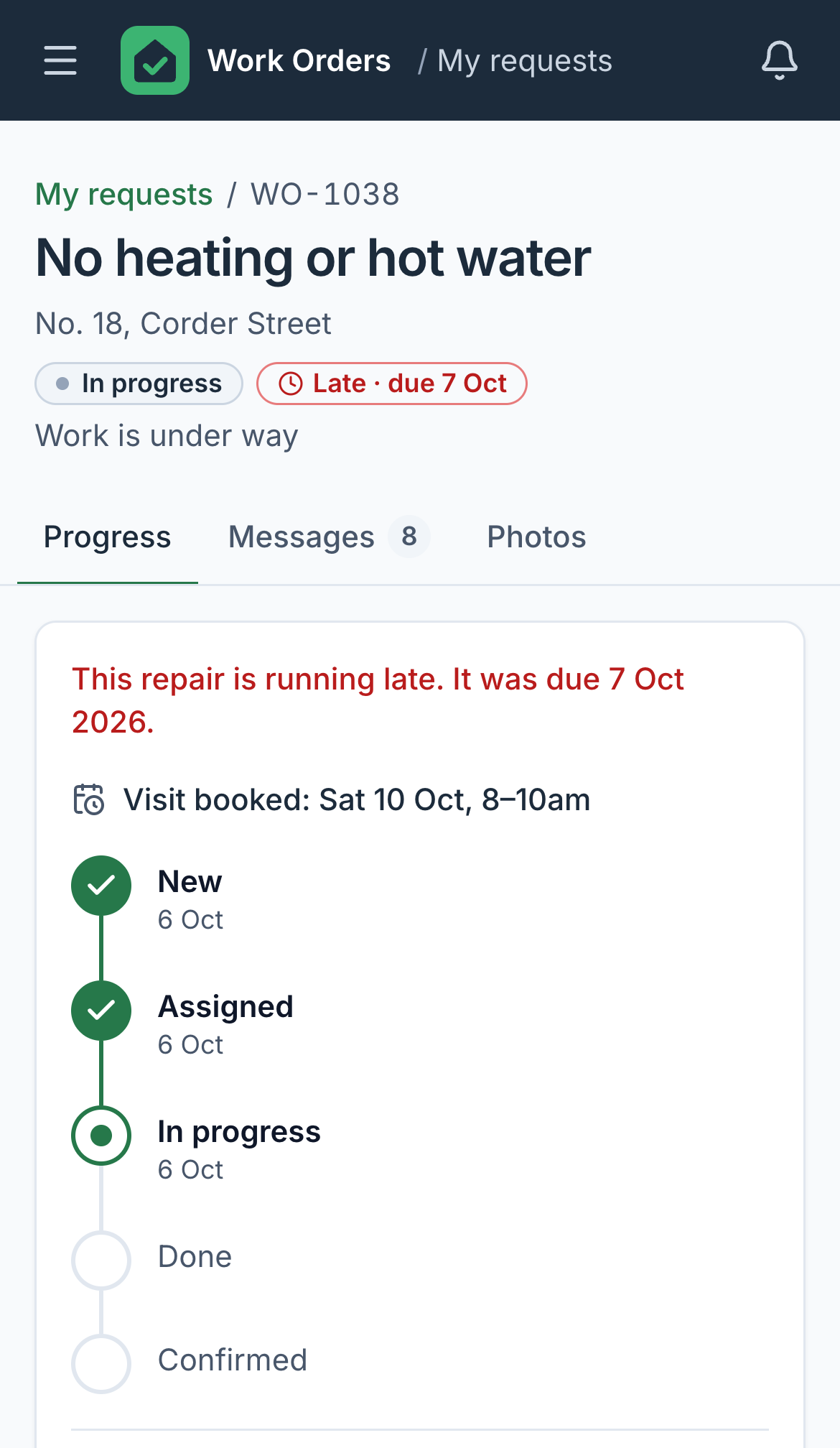
Every repair becomes one job with one status, however it arrived. The manager, the tenant and the contractor all see that same status, so nobody has to pass updates along by hand.
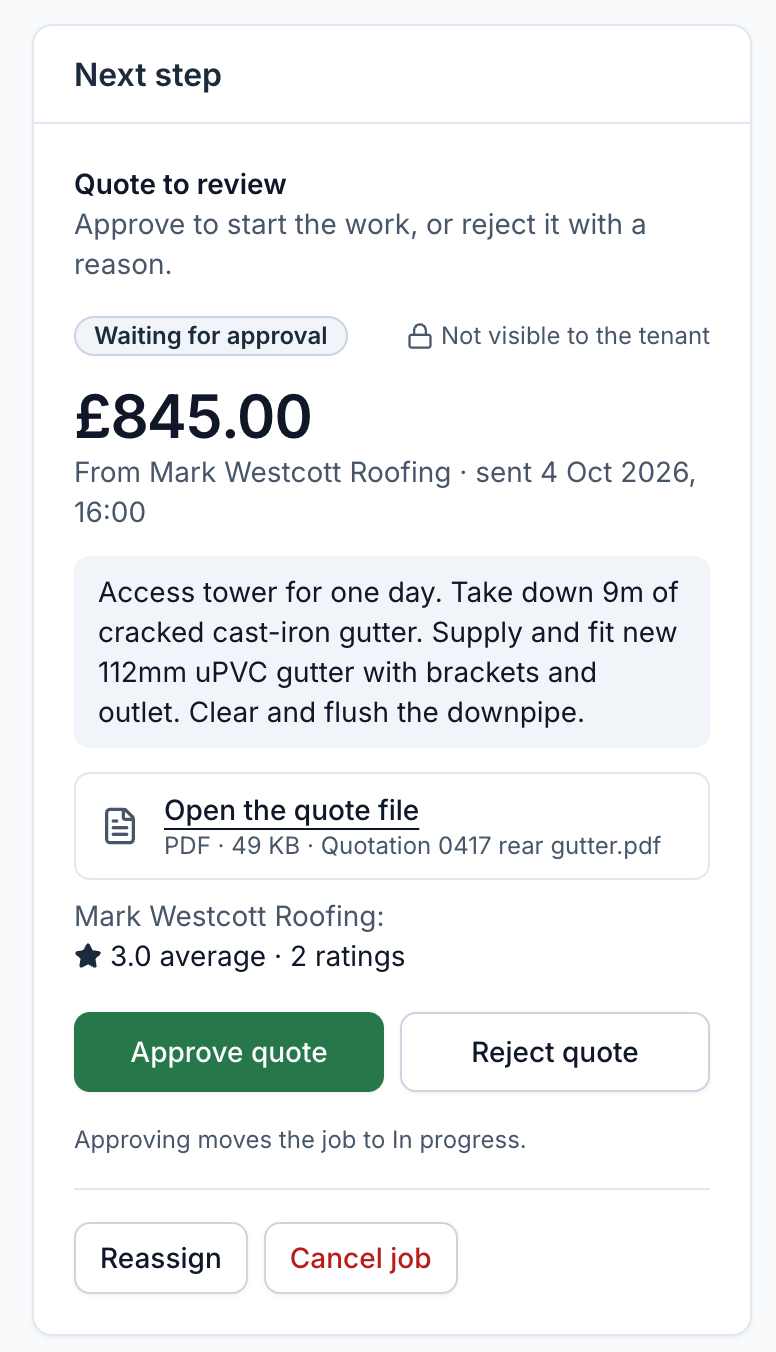
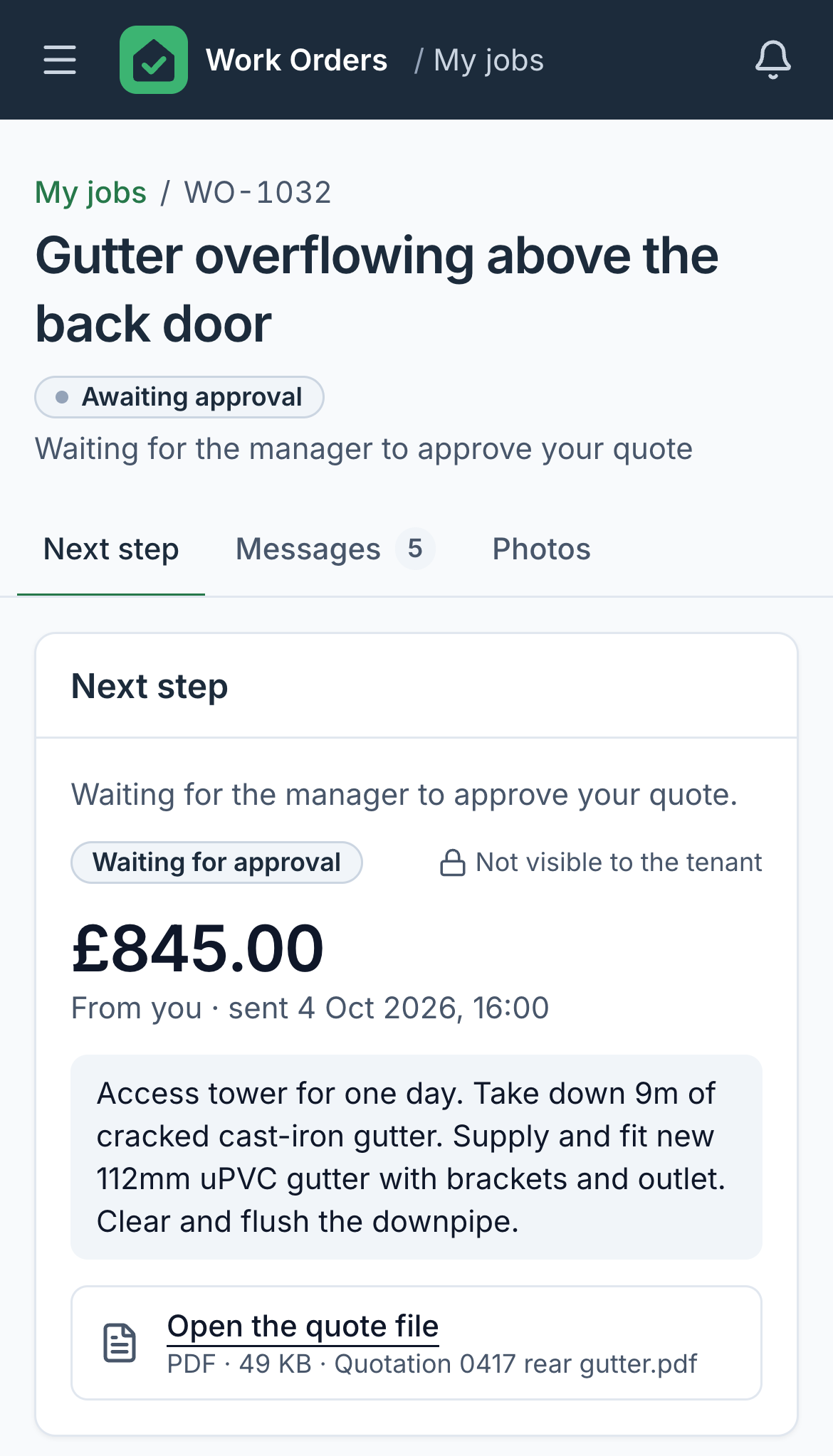
Contractors quote from their phone, with the PDF or a photo attached. The manager approves the quote, or rejects it with a reason, and the work starts from there.
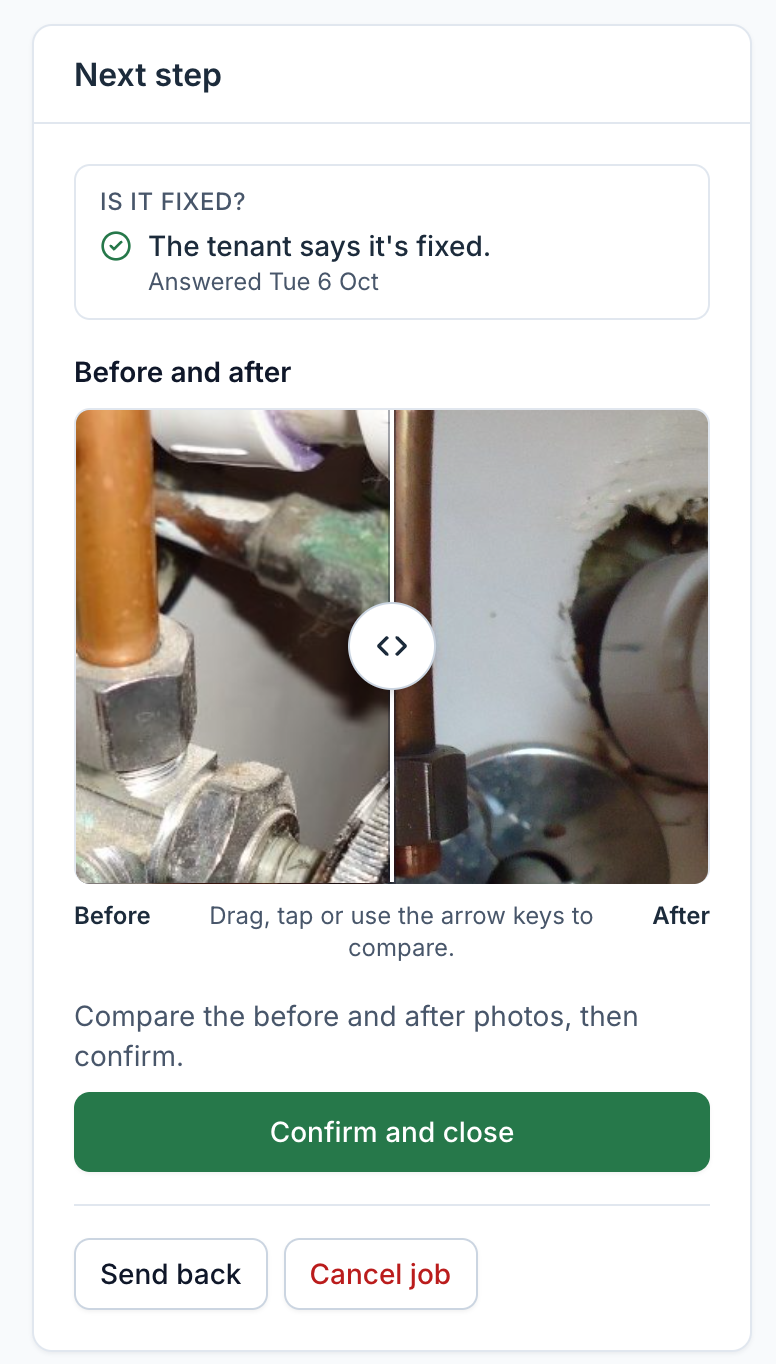
When a contractor marks a job done, the tenant is asked whether it’s fixed, and the manager checks the before and after photos before closing it.
| 01 New | 02 Assigned | 03 Awaiting approval Only when a quote is needed | 04 In progress | 05 Done | 06 Confirmed | |
|---|---|---|---|---|---|---|
| Tenant on a phone | Reports the repair through the unit’s link or QR sign | Sees the visit booked, and the same status | Says whether it’s fixed, and rates the work | |||
| Manager at a desk | Or logs a call, an email or a message | Assigns a contractor | Approves the quote, or rejects it with a reason | Checks the before and after photos, and closes the job | ||
| Contractor on a phone | Sends a quote with the PDF or a photo | Books a visit and does the work | Marks it done, with a photo |
-
01 New
- Tenant
- Reports the repair through the unit’s link or QR sign
- Manager
- Or logs a call, an email or a message
-
02 Assigned
- Manager
- Assigns a contractor
-
03 Awaiting approval
Only when a quote is needed
- Contractor
- Sends a quote with the PDF or a photo
- Manager
- Approves the quote, or rejects it with a reason
-
04 In progress
- Contractor
- Books a visit and does the work
- Tenant
- Sees the visit booked, and the same status
-
05 Done
- Contractor
- Marks it done, with a photo
- Tenant
- Says whether it’s fixed, and rates the work
-
06 Confirmed
- Manager
- Checks the before and after photos, and closes the job
A job can also be reassigned, sent back from Done, or cancelled from any open step. Late and Flagged sit on top of whichever step it is in.
What we built
- A job workflow with seven states, from New to Confirmed, rules for who can do what at each step, and a full history on every job.
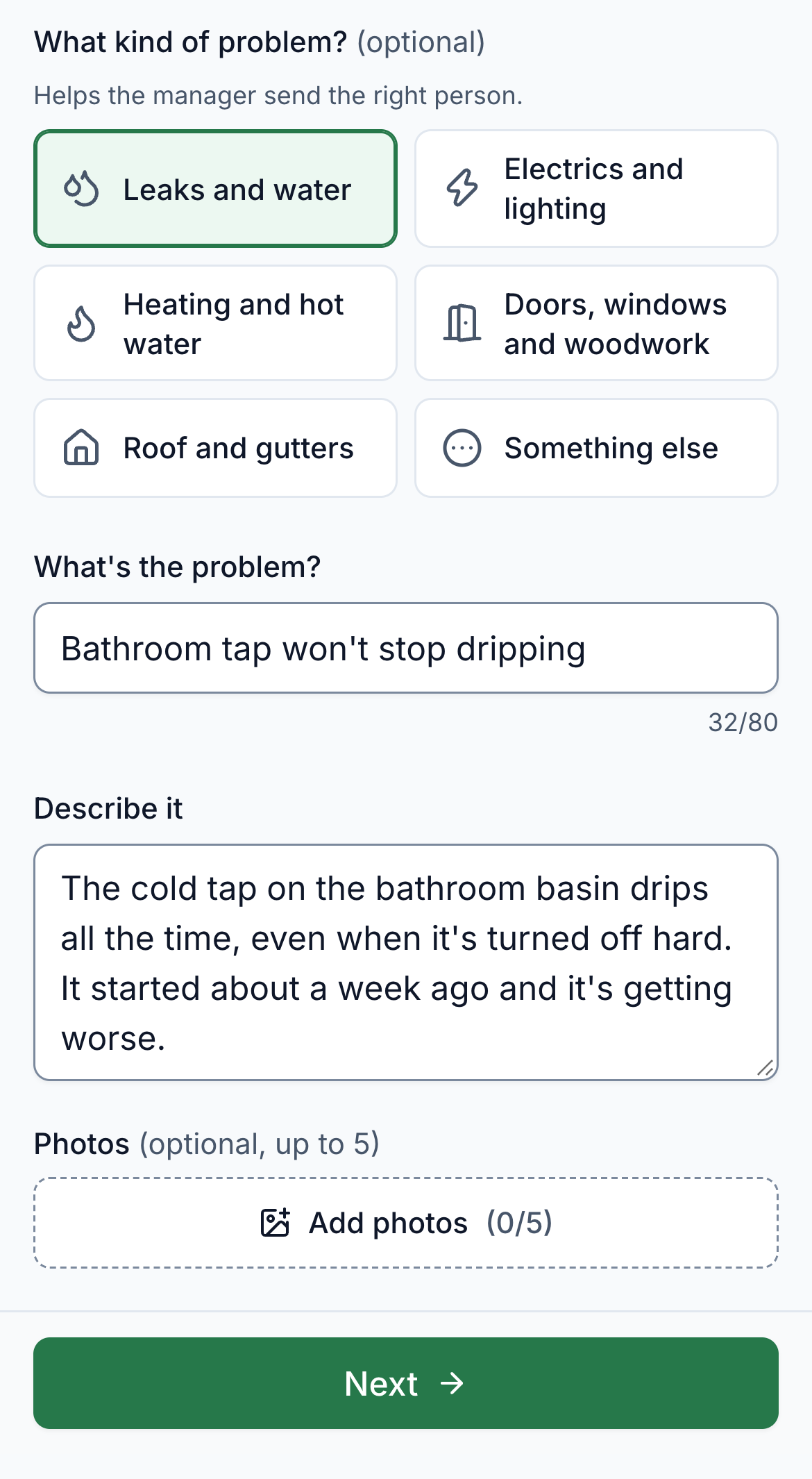
- Requests from any channel. The manager logs a call, an email or a message, or the tenant reports the repair through a link or QR sign for their unit.
- Quotes with a PDF or a photo attached. The manager approves, or rejects with a reason, and the contractor can send a revised quote.
- A shared thread on every job, plus private notes for the manager. Tenants never see prices or notes, and contractors never see ratings.
- Priorities and due dates, with late jobs flagged automatically. Visit booking against the times the tenant gave, an On my way update and access notes.
- Before and after photos, the tenant’s Is it fixed? check and a rating, with low ratings flagged for the manager.
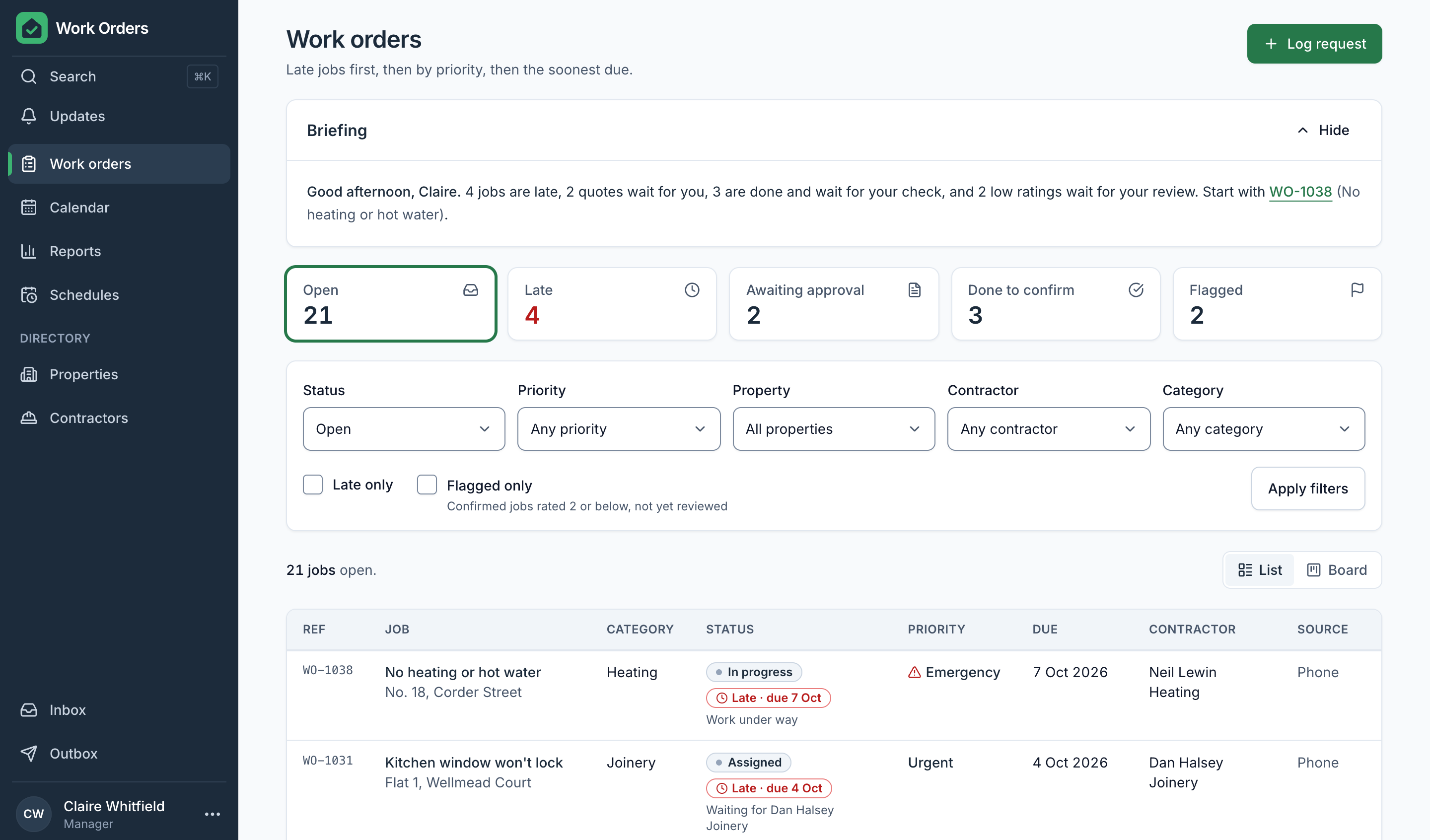
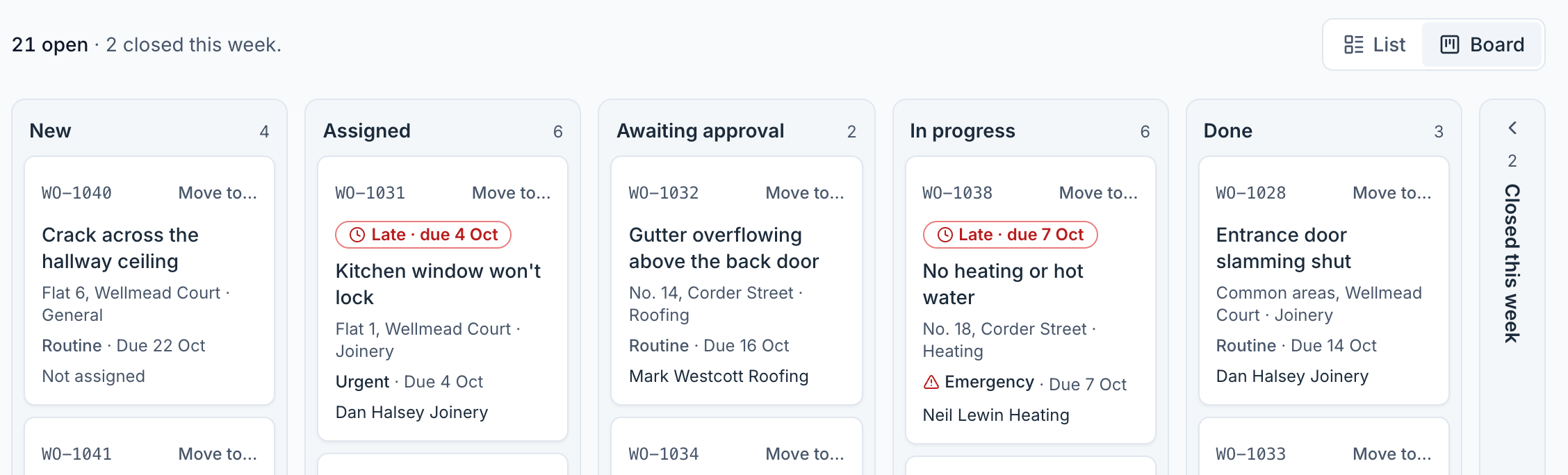
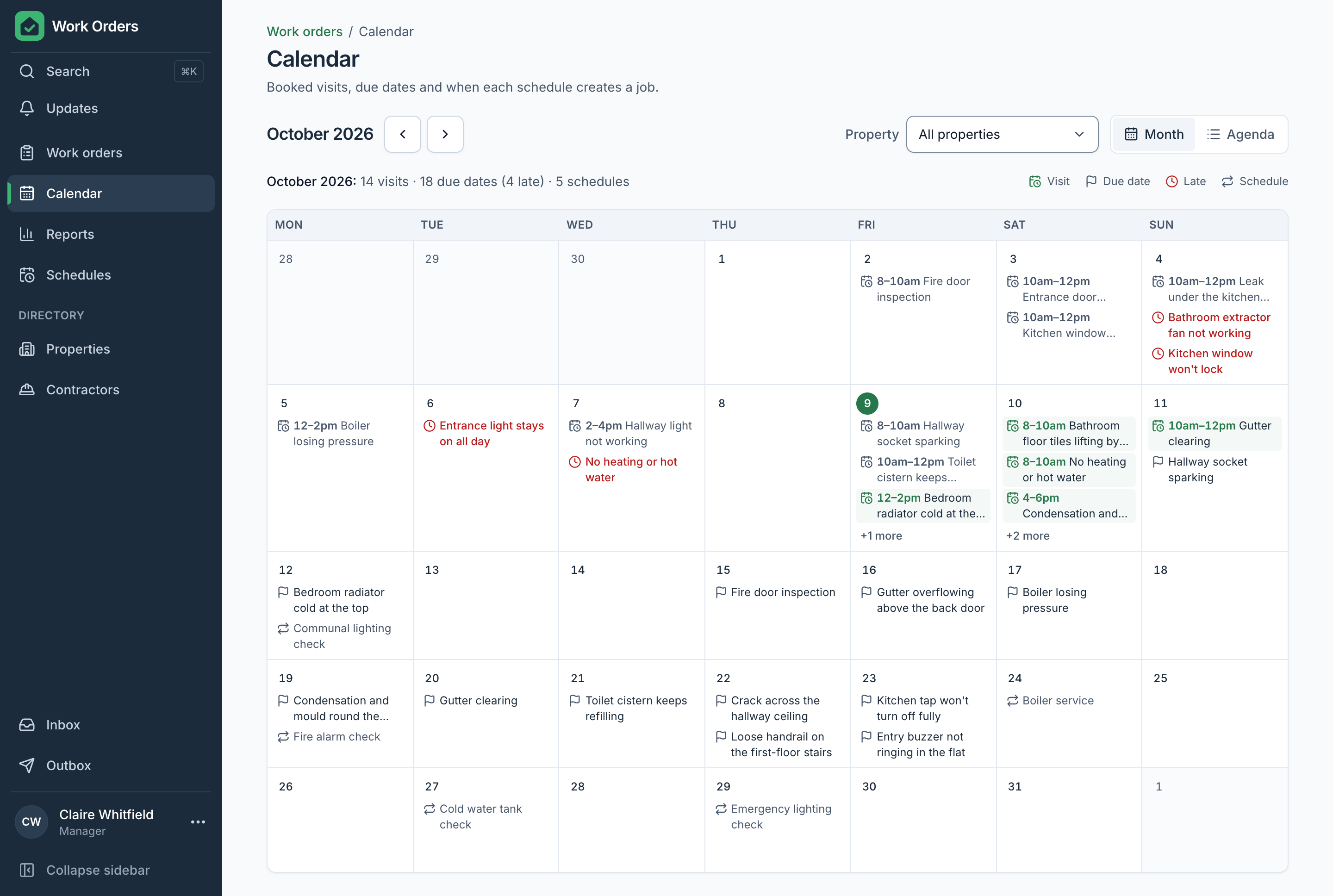
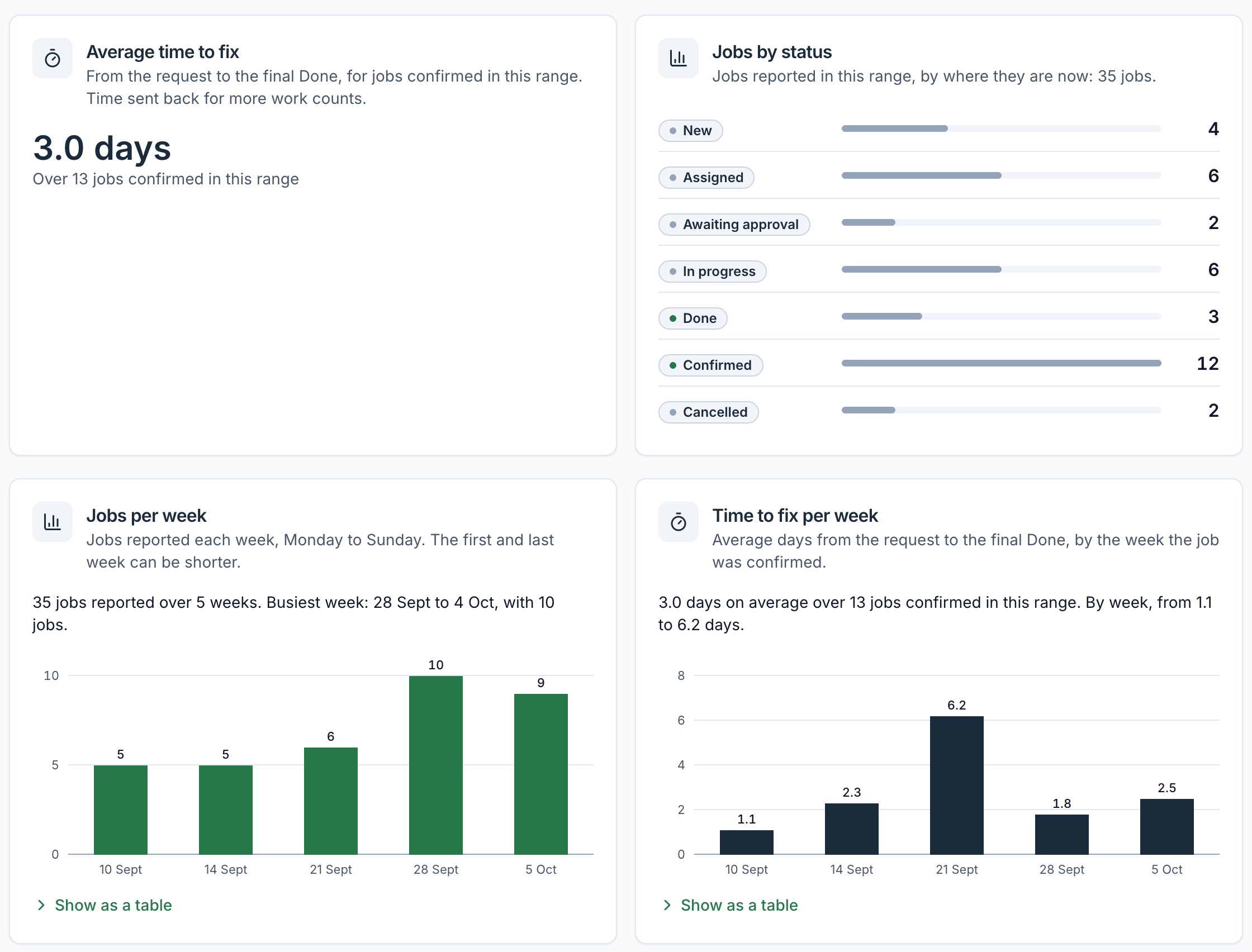
- List and board views, a calendar, search, recurring schedules that create their own jobs, and reports with charts.
- Phone views for tenants, to report and follow a repair, and for contractors, to quote, book a visit and mark a job done with a photo.
- A daily briefing, suggested categories and urgency, and duplicate warnings, worked out by rules from the job data, not by an AI model.
Where it stands
Built, and not yet launched. No property manager runs on it yet, so there are no results to report.
Every tenant, contractor, address and figure in the screenshots is invented sample data.
Next
Stars Wood catalogue and lead desk
Stars Wood, Egypt · 2026 · not yet launched
Lean your process